What is UI/UX Design and How Does It Work?
Stop losing traffic. Discover how custom UI/UX design solves critical business problems, and engineers high converting digital products.
What is UI/UX Design and How Does It Work?
Imagine launching a beautiful, custom web application, spending thousands on marketing, and watching traffic hit your site only to see 90% of users leave within the first 30 seconds without clicking a single button.
Why does this happen? The answer lies in a critical breakdown between UI (User Interface) and UX (User Experience).
A beautiful design might win a user’s attention, but an intuitive experience wins their wallet. Let's solve the mystery of why digital products fail and map out exactly how high performance UI/UX engineering turns confused visitors into loyal, paying customers.
The Core Problem: Why Do 88% of Users Never Return?
Most businesses treat software development like a house build where they only focus on the paint color, completely ignoring the foundational pillars. This neglect creates three massive business bottlenecks:
- High Cognitive Load: If a user has to "think" or search for more than 2 seconds to find a checkout page or a service button, they experience mental fatigue and bounce.
= The Aesthetics Trap: A website can look incredibly modern, but if the font is unreadable, the buttons are too small on mobile, or the navigation structure is a maze, the visual beauty is entirely useless.
= Friction Overload: Every extra form field, slow-loading animation, or confusing pop up adds operational friction, destroying your conversion rate.
UI vs. UX: The Functional Breakdown
To fix these conversion leaks, your engineering team must understand the distinct roles of the two design pillars:
1. UX Design (Diagnosing & Solving the Problem)
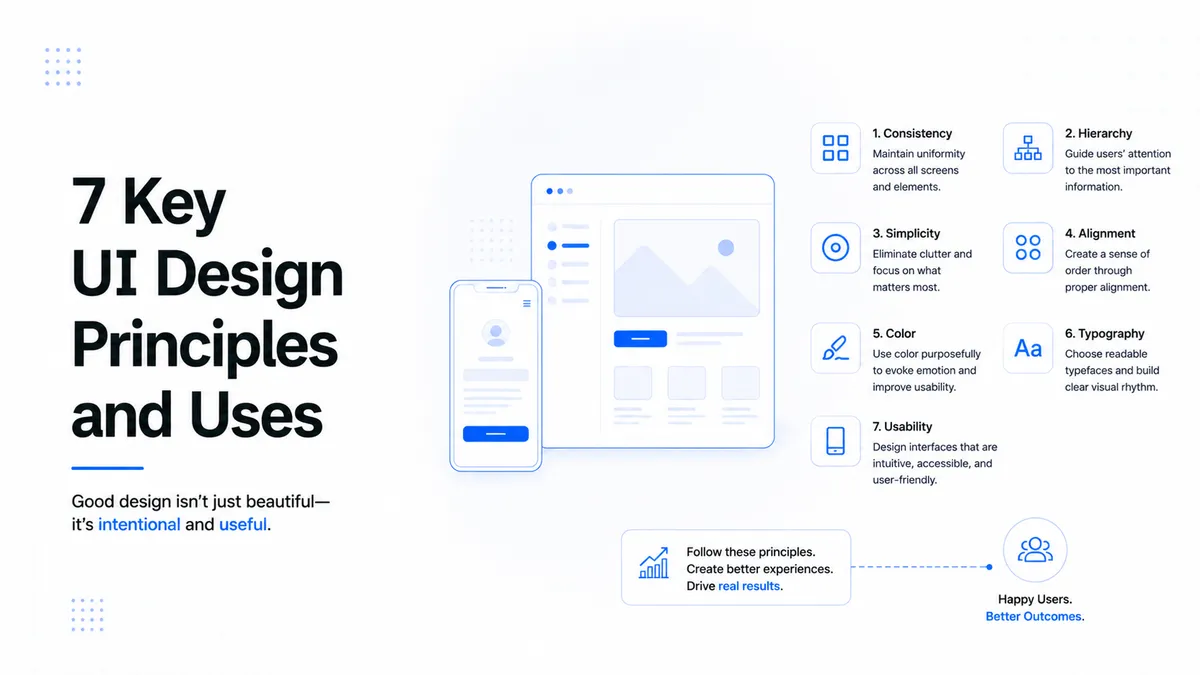
UX is purely analytical, psychological, and data driven. It is the invisible engine under the hood. UX designers do not care about colors; they care about human behavior. They map user journeys, conduct field research, and build structural wireframes to ensure that moving from Point A to Point B feels like second nature. If your user gets stuck or confused, your UX has failed.
2. UI Design (Visual Communication & Trust)
UI is the aesthetic skin and the interactive system built over the UX framework. It handles everything the eye tracks: responsive typography scales, color psychology, button padding, form field states, and dark/light mode grids. UI takes abstract, cold code and translates it into a trustworthy visual environment that guides the user's eye exactly where you want them to click.
How High Performance UI/UX Works: The Step-by-Step Fix
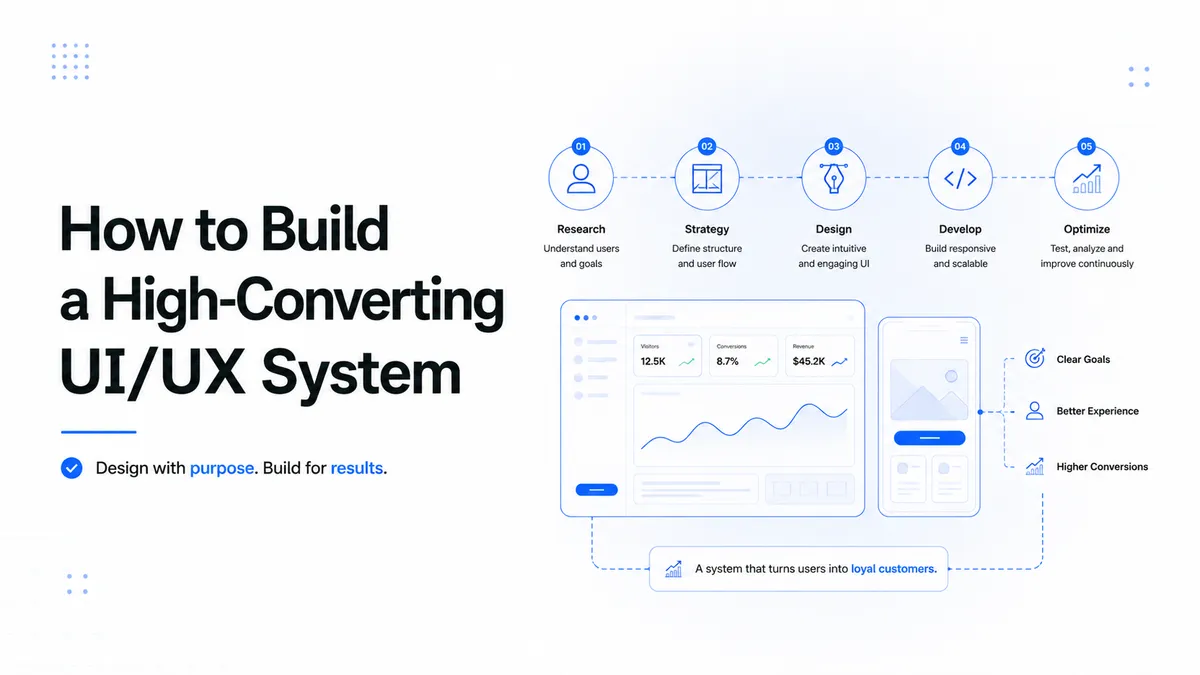
A conversion focused digital infrastructure isn't built on design trends or guesswork. It follows a highly structured, mathematical engineering pipeline:
[ User Pain Points ] ➔ [ User Journey Mapping ] ➔ [ Wireframe Validation ] ➔ [ High-Fi UI System ]
Phase 1: Deep Empathy & Problem Discovery (UX Research)
We don't start with sketches; we start with data. Expert teams analyze target audience data, audit competitor weaknesses, and build user personas. The goal is to isolate exactly where existing market solutions fail users, turning those pain points into core product features.
Phase 2: Structural Architecture & Wireframing (The Layout)
Before writing code or picking colors, we map the Information Architecture (IA). Think of this as a black and white structural skeleton. By creating low fidelity wireframes, we validate the logical flow of user actions. This ensures the conversion funnel is optimized before a single pixel is rendered.
Phase 3: Building the Visual Component System (The UI Architecture)
With the skeleton approved, we inject the brand identity. This involves engineering a consistent, scalable UI Kit defining global component properties, responsive layout grids, precise spacing rules, and accessible contrast ratios. This visual consistency builds instant psychological trust with enterprise clients.
Phase 4: Usability Testing & Iterative Tuning (The Verification)
A design is a living framework, not a static image. In this final phase, real users interact with clickable, high fidelity prototypes. We monitor where they hesitate, where their mouse tracks, and where they encounter friction. Those components are instantly refined, tested again, and optimized until the drop off rate drops to zero.
The ROI: How Good UI/UX Directly Drives Revenue
Investing in precision engineered UI/UX design isn't an aesthetic luxury; it is a core business strategy that drastically changes your metrics:
| Business Bottleneck | The UI/UX Solution | Real World Impact |
|---|---|---|
| High Cart Abandonment | Streamlined 1 Click UX Journey | Massive Increase in Completed Sales |
| Low Mobile Conversions | Responsive Breakpoints & Thumb Zone UI | Doubled Mobile Traffic Retention |
| High Customer Support Costs | Self Explanatory UI & Smart Onboarding | 40% Reduction in Support Tickets |
| Low Brand Trust | Clean Typography & Premium Visual Hierarchy | Higher Retention & Enterprise Leads |
To build these scalable systems, our team uses specialized architectures. Check out our custom Serices to scale your infrastructure.
About the Author
Stuck Media is a knowledgeable contributor sharing expertise and insights on technology and business topics.
Comments
Leave a Comment
Your comment will be reviewed by our team before appearing.
Loading comments...